Frequently Asked Questions
Some common questions, errors, and problems are categorized below. You can also use the search box above to search the user guide for any issues you are seeing.
About Gilbreth
Can you remove me from the Gilbreth mailing list?
Your subscription in the Gilbreth mailing list is tied to your access on Gilbreth. The only way to remove you from the Gilbreth mailing list is to remove your Gilbreth access. If you are no longer using your account on Gilbreth, your access can be removed by contacting your group PI or manager. Your Gilbreth mailing list subscription will then be removed overnight. Be sure to make a copy of any data you wish to keep first.
How is Gilbreth different than other Community Clusters?
Gilbreth differs from the previous Community Clusters in many significant aspects:
-
Each Gilbreth compute nodes are equipped with a variety of Nvidia GPU accelerator cards which can significantly improve performance of compute-intensive workloads.
-
Each Gilbreth front-end contains one Nvidia A30 accelerator card. This makes GPU code development and testing much simpler.
-
GPU-enabled applications have both non-gpu and gpu-enabled versions installed. Typically, gpu-enabled versions are tagged with gpu in their module name, e.g., lammps/31Mar17_gpu is the GPU-enabled version of LAMMPS, while lammps/31Mar17 is the non-gpu version of LAMMPS.
- An exception to the above rule is that for licensed softwares like Abaqus, Ansys, and Matlab, a single module contains both non-gpu and gpu-enabled versions.
-
A selection of GPU-enabled application containers from the Nvidia GPU Cloud (NGC) collection is installed.
Learn more from Gilbreth overview.
How can I specify the GPU type for my job?
Gilbreth separates its GPU types through partitions. To specify a specific type of GPU for your job, you can simply speify a partition for your job to be submitted to. For example, If you wanted to run on an H100 GPU, you can specify this GPU type when submitting to Slurm with --partition=h100.
To see what partitions are available in your account(s), you can use the slist command, which will print a table of the access to each GPU type for each account you are a member of:
Do I need to do anything to my firewall to access Gilbreth?
No firewall changes are needed to access Gilbreth. However, to access data through Network Drives (i.e., CIFS, "Z: Drive"), you must be on a Purdue campus network or connected through VPN.
Does Gilbreth have the same home directory as other clusters?
The Gilbreth home directory and its contents are exclusive to Gilbreth cluster front-end hosts and compute nodes. This home directory is not available on other RCAC machines but Gilbreth. There is no automatic copying or synchronization between home directories.
At your discretion you can manually copy all or parts of your main research computing home to Gilbreth using one of the suggested transfer methods in this section.
How do I know Non-uniform Memory Access (NUMA) layout on Gilbreth?
- You can learn about processor layout on Gilbreth nodes using the following command:
- For detailed IO connectivity:
- Please note that NUMA information is useful for advanced MPI/OpenMP/GPU optimizations. For most users, using default NUMA settings in MPI or OpenMP would give you the best performance.
Applications
Close Firefox / Firefox is already running but not responding
Problem
You receive the following message after trying to launch Firefox browser inside your graphics desktop:
Solution
When Firefox runs, it creates several lock files in the Firefox profile directory (inside ~/.mozilla/firefox/ folder in your home directory). If a newly-started Firefox instance detects the presence of these lock files, it complains.
This error can happen due to multiple reasons:
-
Reason: You had a single Firefox process running, but it terminated abruptly without a chance to clean its lock files (e.g. the job got terminated, session ended, node crashed or rebooted, etc).
- Solution: If you are certain you do not have any other Firefox processes running elsewhere, please use the following command in a terminal window to detect and remove the lock files:
-
Reason: You may indeed have another Firefox process (in another Thinlinc or Gateway session on this or other cluster, another front-end or compute node). With many clusters sharing common home directory, a running Firefox instance on one can affect another.
- Solution: Try finding and closing running Firefox process(es) on other nodes and clusters.
- Solution: If you must have multiple Firefoxes running simultaneously, you may be able to create separate Firefox profiles and select which one to use for each instance.
Jupyter: database is locked / can not load notebook format
Problem
You receive the following message after trying to load existing Jupyter notebooks inside your JupyterHub session:
Alternatively, the notebook may open but present an error when creating or saving a notebook:
Solution
When Jupyter notebooks are opened, the server keeps track of their state in an internal database (located inside ~/.local/share/jupyter/ folder in your home directory). If a Jupyter process gets terminated abruptly (e.g. due to an out-of-memory error or a host reboot), the database lock is not cleared properly, and future instances of Jupyter detect the lock and complain.
Please follow these steps to resolve:
- Fully exit from your existing Jupyter session (close all notebooks, terminate Jupyter, log out from JupyterHub or JupyterLab, terminate OnDemand gateway's Jupyter app, etc).
-
In a terminal window (SSH, Thinlinc or OnDemand gateway's terminal app) use the following command to clean up stale database locks:
-
Start a new Jupyter session as usual.
RStudio Server Timeout
Problem
RStudio Server times out after approximately 60 minutes of inactivity. Upon re-entering the session, there will be a "RStudio Server Login Required" window popping up as below.
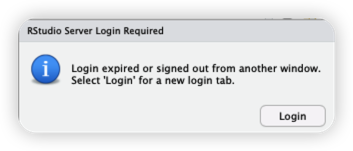
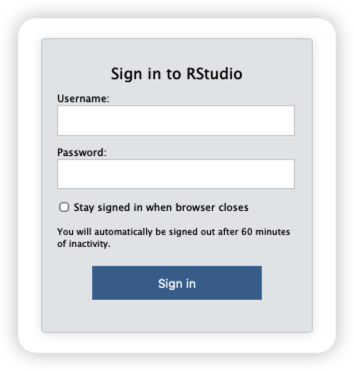
When trying to log in from the login window below, your login credentials WILL NOT work.
Solution
This issue is related to the RStudio Server configuration that sessions will automatically log out if inactive for over 60 minutes. The solution would be either to keep active every 60 minutes or use the user name and password (session specific password) described as follows to re-login:
-
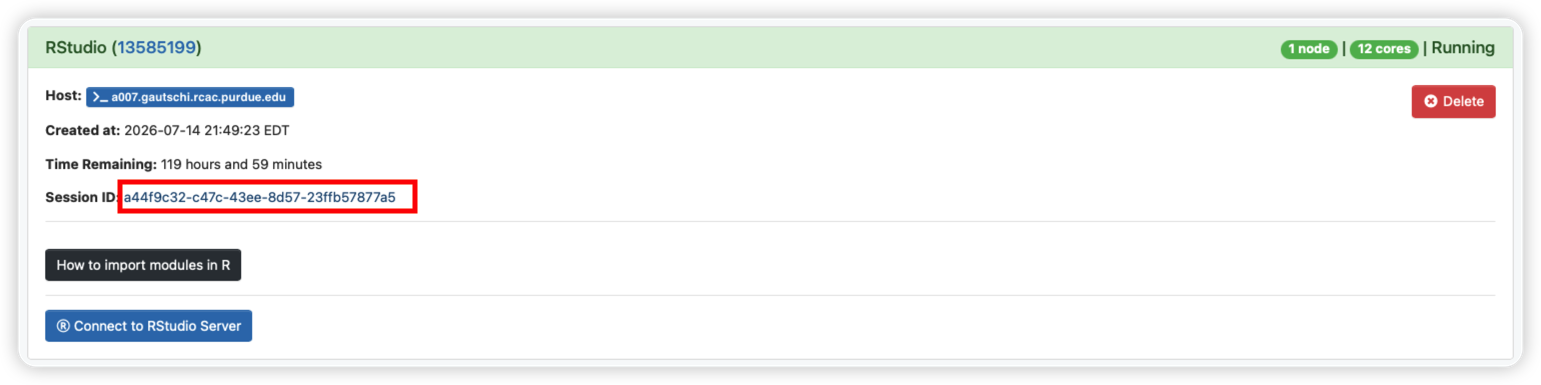
Navigate to the current RStudio session in Open OnDemand.
-
Click on the session ID to open the session folder and locate the
connection.ymlfile within the session folder.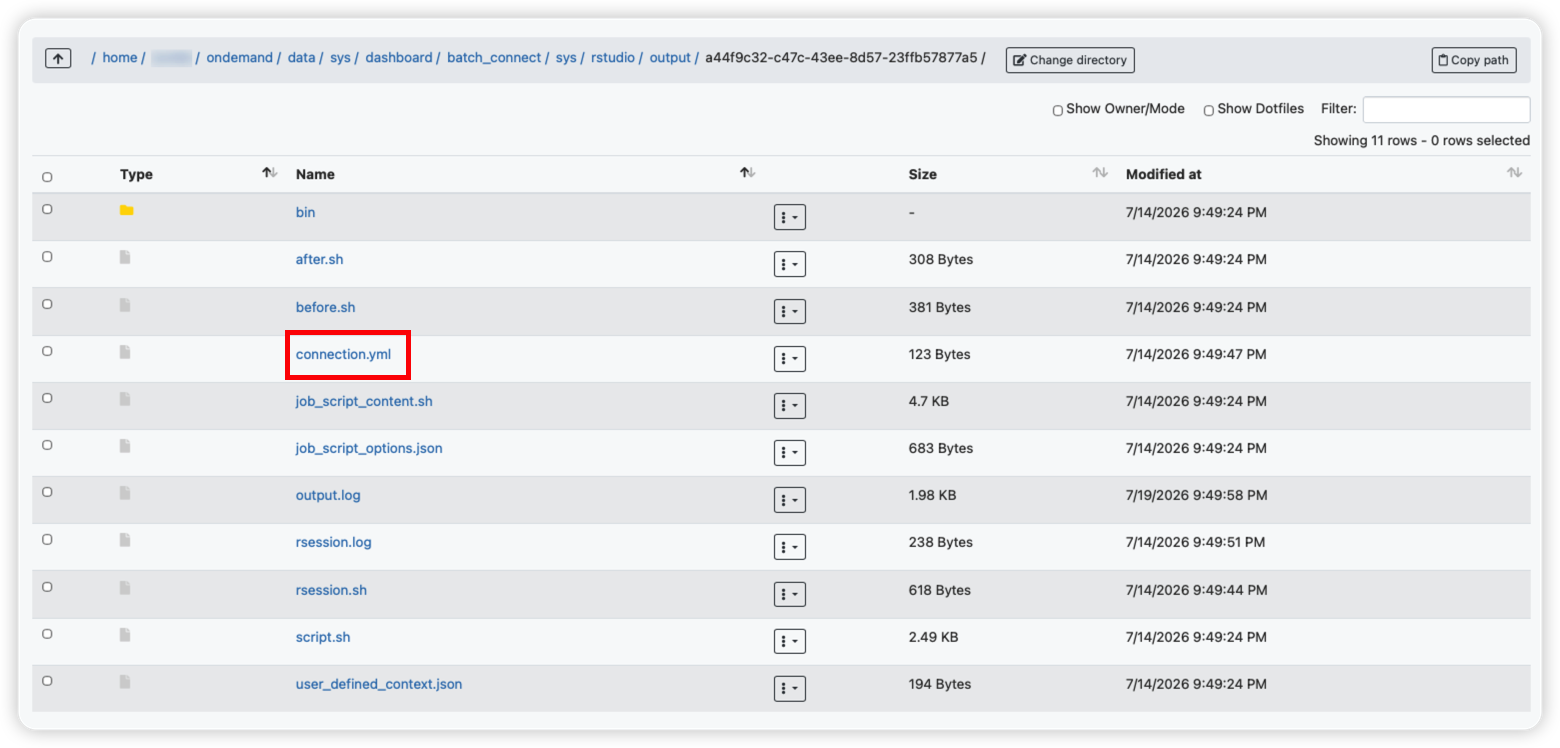
-
Open it to find the session-specific password.
-
Then, use your Purdue account username in the "Username" field and the password retrieved from the
connection.ymlfile to re-login.
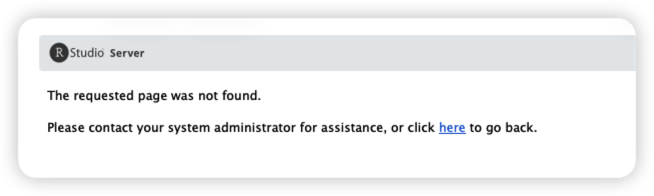
P.S. If you could not open the page after re-login (see below) and saw the web url ended with /appUri, delete /appUri and retry with the remaining url.