Troubleshooting
Useful Links
There are many valuable Kubernetes troubleshooting guides readily accessible on the Internet. Instead of duplicating them here, we provide links to external documentation that has been useful for users of the Geddes platform.
- Debugging Pods
- Debugging Services
- Pod Failures
- Get a Shell on a Running Container
- Through the Geddes UI, the equivalent method is clicking the vertical ellipsis and selecting "Execute Shell".
Create a Pod for Debugging
Many times, users want to start a simple persistent Pod from a container image like Alpine or Ubuntu to do troubleshooting. The following YAML will deploy an Alpine Linux pod in a namespace that sleeps for 24 hours.
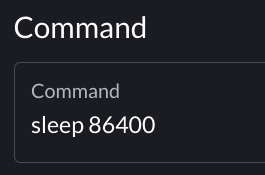
One can also launch a persistent Pod by specifying the sleep command via the Geddes UI.
Permission Denied on PVC for non-root User
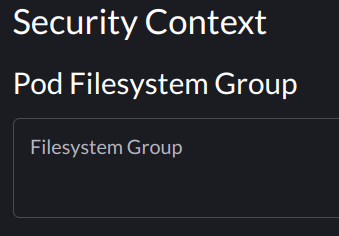
If your container or process runs as a non-root user and you see a "Permission denied" error, you may need to set the fsGroup SecurityContext on your Pod so permissions are configured correctly on the PVC. This can be done in the Pod's spec.
Where gid is the group id your container is running as, or the group id of the process that is trying to write to the PVC.
This setting can also be applied under the Pod menu when deploying a workload via the Geddes UI.
Pull Rate Limit Error
Symptom:
ImagePullBackoff Error with message Failed to pull image "<image>:<tag>": rpc error: code = Unknown desc = toomanyrequests: You have reached your pull rate limit. You may increase the limit by authenticating and upgrading: https://www.docker.com/increase-rate-limit
Solution:
Use the Geddes Registry Docker Hub Cache to pull your image from Docker Hub.
Ingress 413 Content Too Large Errors
By default, the Ingress controller on Geddes can handle requests up to 1 MB in size. If you need to send requests larger than 1 MB you can increase the size with the following Ingress annotation. Using "0" will allow unlimited size.