Super groups with GitLab
A super group is a directory of code on a server. Editing that code on a live hub means editing production by hand. The alternative the CMS supports is to keep each group's directory in a GitLab repository: developers work on a copy, propose changes as merge requests, and an administrator pulls the approved result into the hub from the administrator interface.
This section covers what the CMS does, what a hub has to configure, and how a developer works against a group that is managed this way.
Reach for it when a super group's code is written by more than one person, or
by anyone who should not have a shell account on the production hub, or when
you want to be able to say what changed and put it back. Do not reach for it
for a group whose template one person edits twice a year: the arrangement
needs a GitLab that somebody runs, accounts granted by hand, and a hub with
application_env set to production before the CMS will create anything at
all. What it costs is the honest list.
What ships and what does not
GitLab is a separate application. Nothing in this repository runs one, and no hub gets one by installing the CMS. What ships is a client:
core/components/com_groups/helpers/gitlab.php— a small REST client over Guzzle that can search for and create GitLab groups and projects and protect a branch.- The super group tasks in
admin/controllers/manage.php— creating the project when a group is saved, and the Update Groups Code and Merge Groups Code screens. - Shell scripts in
admin/assets/scripts/that do the git work on the server.
The integration is off by default and does nothing until a hub sets
Repo Management, a Repo URL and a Repo API Key. Even then the
project-creation half only runs on a hub whose application_env starts with
production.
Everything on the GitLab side — accounts, forks, merge requests, review, the web interface — is that application's, not the hub's. This section says plainly which parts of the old workflow could be checked against this code and which could not.
The chapters
| Chapter | What it covers |
|---|---|
| Why GitLab | What the arrangement buys, and what the hub actually enforces |
| Setup | The hub-side options, and what happens when a group is saved |
| Developing | The fork, clone, merge request and pull cycle |
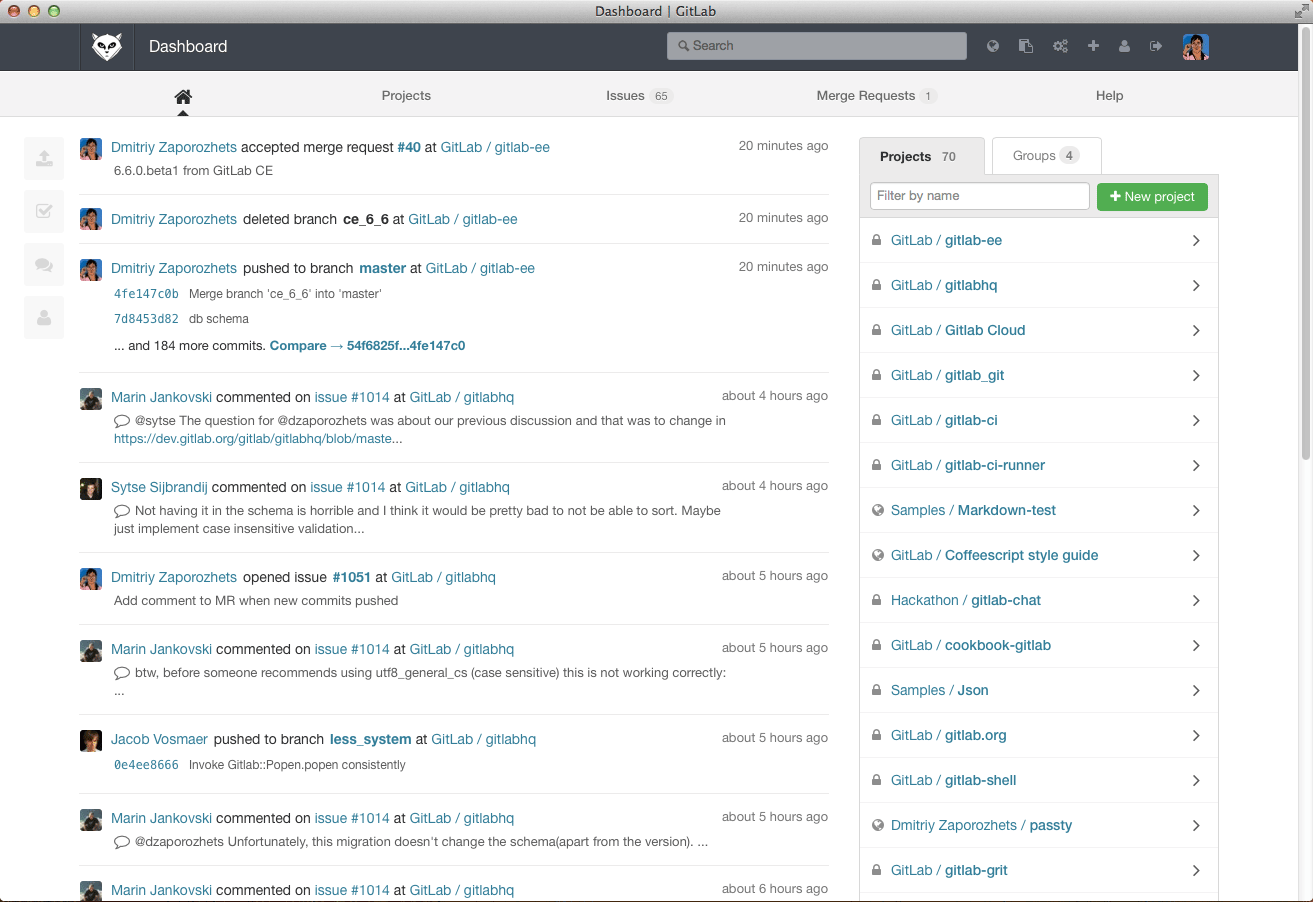
Note
That screenshot shows GitLab 6, from 2014. No current GitLab looks anything like it, and the picture is of GitLab's own project rather than of a hub. Treat it as historical.
Why GitLab
A super group's code is a directory on the hub's server. Without a repository, changing it means someone editing production files over SSH, and the only record of what changed is the file system. Keeping the directory in a GitLab repository moves the writing somewhere else and turns each change into something that can be read before it lands.
Nobody needs an account on the hub's server
The developer works on their own machine, or a development hub, against a
clone. They never log in to the production hub. The only thing that reaches
production is a git pull, run from the administrator interface by someone
who already had administrative access.
Changes are read before they land
Two things enforce the review, one in GitLab and one in the hub:
- When the hub creates a group's project it protects the
masterbranch, so only GitLab users with the right role can merge into it. That call isprotectBranch()inhelpers/gitlab.php. - The hub only ever pulls. There is no path from the administrator interface that pushes a change into a group's repository, apart from the very first commit that creates it.
So a change arrives on the hub only if someone merged it in GitLab and then an administrator pulled it.
Note
Whether merge requests are actually reviewed, by whom, and how long that takes is a policy each hub sets in GitLab. Nothing in the CMS enforces a review; it enforces only that the hub does not write to the repository.
Developers work on a copy
The usual arrangement is that each developer forks the group's project and works in their fork, so nothing they do can affect the live group or another developer until a merge request is accepted. Forking is a GitLab feature; the hub knows nothing about it and does not create forks.
Updates are a screen, not a deployment
Once a hub is configured, any administrator who can reach Users → Groups can pull new code for one group or several at once, look at what would change, and then merge it. The screens are described in Developing.
Merging also runs the group's migrations, so a schema change travels with the code that needs it.
The rest is GitLab
Issue tracking, a wiki per project, the code browser, protected branches
beyond master, review rules, CI — all of that is GitLab's, available to
whoever administers it, and outside anything this repository can confirm.
What it costs
- A GitLab to run. The hub is a client of one; it does not provide one.
- Accounts, by hand. The CMS creates no GitLab users and links no hub account to a GitLab account. Access is granted in GitLab by whoever administers it.
- Production only. The hub creates a group's project only when
application_envstarts withproduction. On a development hub, saving a super group creates the directory and the database and stops there.
Setup
Three parties have something to do before a super group can be developed through GitLab: the hub, whoever administers the GitLab, and the developer. Only the first is done in this software.
Hub setup
- Go to Users → Groups and select Options.
- Open the Super Groups tab.
- Set Repo Management to yes.
- Put the GitLab API endpoint in Repo URL — the base the client
appends
groupsandprojectsto, so a v4 API ishttps://gitlab.example.org/api/v4. - Put an access token in Repo API Key.
- Select Save & Close.
The token is sent as a PRIVATE-TOKEN header on every call, and searches ask
GitLab for objects at access level 40 and above, so the token needs at least
Maintainer on whatever it is expected to find or create. The source says
so in as many words.
That is the whole of the hub-side configuration. There is nothing else to install.
Note
The client is created with TLS certificate verification turned
off ('verify' => false in
helpers/gitlab.php),
which lets it talk to a GitLab with a self-signed certificate — and means it
will not notice one it should have refused.
Important
Older documentation had a hub administrator generate an SSH
key for www-data, add it to a GitLab account, and SSH once to accept the
host key. None of that is needed here. The hub pushes over HTTPS, using a
remote of the form https://oauth2:<token>@<host>/<path> built from the
project's http_url_to_repo. There is no SSH from the hub to GitLab.
Checking it
Saving a super group calls validate() first, which checks the option, the
URL and the key, then asks GitLab for personal_access_tokens/self. The
messages you may see are:
| Message | Meaning |
|---|---|
| Gitlab is not setup properly for managing super group repositories… | Repo Management is off, or the URL or key is empty |
| The Gitlab API key was rejected. Check the Repo API Key in the Groups configuration. | GitLab answered 401 |
Warning
That first warning appears on every super group save on a hub that has not configured GitLab, including hubs that never intend to. It is noise, not a fault with the group. Recorded in It is recorded with the project.
What the hub does when a super group is saved
Everything below happens in _handSuperGroupGitlab() in
admin/controllers/manage.php,
after the group's directory and database have been created, and only when
application_env starts with production. On a development or staging hub
the whole step is skipped.
- Find or create a GitLab group named
hub-<first label of the hub's host name>—hub-exampleforexample.org. If the search returns more than one match the save stops with an error. - Find or create a project in it named
sg_<group alias>, with issues, merge requests, wiki and snippets enabled and the hub group's description as its own. - Stop if the group directory already has a
.git. Setup runs once. - Push the directory by running
gitlab_setup.sh:git init, amasterbranch trackingorigin, an exclude list,git add, an initial commit authored as <site name> Groups <groups@<host>>,git remote add origin, andgit push -u origin master. - Protect
master, so merges into it need the right role in GitLab.
Two paths are excluded from the repository by that script, and should stay
excluded: uploads/*, which holds whatever the group's members upload, and
config/db.php, which holds the group's database password.
Note
A super group that already exists and has no repository gets one the next time an administrator saves it, on a production hub with the options set. There is no separate migration step and no need to ask anyone to run one.
Staging hubs
A hub whose application_env starts with staging behaves differently in one
place: selecting Update Groups Code for a group that has no .git
directory runs
gitlab_setup_stage.sh,
which tars the group's directory as a backup beside it, empties the directory,
and clones the project into it.
Warning
That script deletes the contents of the group's directory
before cloning, uploads included — and uploads is not in the repository,
so it is not restored by the clone. The tarball beside it is the only copy.
Read the script before running it against anything you care about.
GitLab setup
Creating accounts, granting people access to the hub's GitLab group, and setting whatever review rules the hub wants are jobs in GitLab. The CMS never creates a user, never links a hub account to a GitLab account, and never grants anyone access to a project.
Developer setup
Also GitLab's, not the hub's:
- An account, and membership of the project.
- An SSH key on that account, if you clone over SSH — added under the profile's SSH Keys. More than one key is fine, one per machine you work from. Cloning over HTTPS with a token instead works equally well.
Neither of those could be verified against this repository; they are how GitLab works, not how the hub works.
Known gaps in the integration
- The GitLab group name is derived two different ways. Creating a project uses
the first label of the host name; the staging setup path uses the label
before the top-level domain. On
example.orgthose agree. Onwww.example.orgthe first giveshub-wwwand the secondhub-example. updateTask()runsgitlab_reset_remote.shwhen a repository's stored token no longer matches the configured one. That script does not exist in this repository.gitlab_fetch.shandgitlab_merge_and_migrate.share in the scripts directory but nothing calls them, and they invokecli/muse.php, a path that no longer exists — muse iscore/bin/muse.protectBranch()callsPUT /projects/:id/repository/branches/:branch/protect. That is where the GitLab v3 API kept branch protection; current versions expose it elsewhere. Not verified against a live GitLab.- Every response is assumed to be JSON that decodes to an array. A proxy error page or an HTML 404 from the URL in Repo URL produces a fatal error rather than a message.
All of these are recorded with the project.
Developing
The cycle for a super group managed through GitLab is: work in a clone, propose the change as a merge request, and have an administrator pull the merged result into the hub.
The examples use mygroup as the group's alias, hub-example as the hub's
GitLab group and theuser as your GitLab user name. The project is
sg_mygroup, in the group hub-example; both names are built by the hub when
it creates the project, as described in Setup.
Note
Everything up to the last section happens in GitLab and in git. None of it is the CMS, and none of it could be verified against this repository. Use it as a description of the arrangement the CMS expects, and your own GitLab's documentation for the details.
Fork the project
Find hub-example / sg_mygroup in GitLab and fork it. The fork is yours: you
can push to it freely without touching the group the hub pulls from.
Clone your fork
Clone anywhere you like. A development hub is the convenient place, because you can then point a super group at the working copy and see the result.
Note
Older documentation gave a one-line clone that moved the files up and removed the directory. That was for cloning into a group directory that already existed. A plain clone is what you want.
Add the upstream remote
Your fork does not track the group's real repository. Add it:
Keeping the fork in step with upstream is the part people skip and regret. Do it before every push.
What belongs in the repository
Everything the hub put there when it created the project: template/,
components/, macros/, migrations/, pages/, language/.
Two things are deliberately excluded and must stay out:
uploads/— the group's own files, which belong to its members and are not code.config/db.php— the group's database password.
The hub writes both into .git/info/exclude when it sets the repository up.
That file is local to the clone the hub made; a fresh clone does not have it,
so take care not to add either path by hand.
Work
Ordinary git. Commit as you go. The hub sets the repository up on master
and protects that branch, so master is what a merge request targets.
Schema changes belong in
migrations, in the group's top-level
migrations directory, so they run when the code is merged on the hub.
Sync before you push
Resolve any conflicts here, in your own clone, where it costs nothing. A merge request from a fork that is behind is harder to review and may be sent back.
Push and open a merge request
Then, in GitLab, open a merge request from your fork's master to
hub-example/sg_mygroup's master. Write a description that says what
changed and why: the person approving it is reading the diff cold.
How long approval takes, and who does it, is your hub's policy. GitLab mails you when the request is accepted or closed.
Pulling the changes into the hub
The last step is a hub administrator's, in the administrator interface. The screens are in Users → Groups.
- Tick the super groups to update in the group list.
- Select Update Groups Code. Nothing is changed yet: the hub fetches from the remote and lists the commits each group is behind by, or says Your code is currently up to date!
- Look at the list. Each group with something to merge gets a Merge Changes tick box, ticked.
- Select Merge Groups Code.
Update Groups Code is only on the toolbar when Repo Management is on
and the administrator holds the core.manage permission for com_groups.
Groups in the selection that are not super groups, or that have no .git
directory, are listed as failures and skipped.
The merge runs muse group update -f and then muse group migrate -f in the
group's directory. Concretely, for each group:
- Local modifications in the group's directory are stashed first, so anything edited on the server by hand is set aside rather than merged.
- A tag named
cmsrollbackpoint-<timestamp>is written, so the state before the merge can be recovered. - The merge is fast-forward only. A group whose directory has commits of its own will refuse to merge rather than produce a merge commit.
- The group's migrations run afterwards, against the group's own database.
Warning
The controller means to skip migrations when the update fails, but the test it uses never matches, so migrations run either way. Read the output of the merge instead of assuming it stopped. Recorded in It is recorded with the project.
Rolling back
The rollback point the merge wrote is reachable from muse:
That resets the group's directory to the most recent
cmsrollbackpoint- tag. It does not undo migrations; a schema change is
reversed by running its down(), with
muse group migrate -d=down -f --group=mygroup --file=Migration….php.
php core/bin/muse group update status --group=mygroup reports what the
working copy looks like without changing anything.
Rewritten and checked against 2.4-main @ 348f0057c2 on 2026-09-10.