Templating system
A super group renders through a template of its own instead of the site
template. The template is ordinary PHP with a handful of <group:include>
tags in it, and it lives in the group's template/ directory.
This is the first thing you write and usually the only thing the group asked for. The Coastal Resilience Center wants its own banner, its own colours and its own footer around content the hub is already producing — the group's pages, its wiki, its calendar. The template is where that frame goes. It does not render the content; it says where the content goes.
The smallest thing that works
One file, and it can be four lines:
Save that, reload the group, and every tab — Overview, Wiki, Calendar, Forum — comes back inside it. Everything else in this chapter is options.
That is the only file a super group template needs. The error page, the includes and the stylesheets are convention.
Warning
With no index.php and no default.php, the group does not
fall back to the site template. It aborts with Missing "Super Group"
template file. — a 500, on every tab, for every visitor. That is the usual
first symptom of a mistyped filename or a directory copied without its
contents.
How the file is chosen
Components\Groups\Helpers\Template::_fetch()
builds a list of candidates and uses the first that exists. When a group page
is being rendered the order is:
<page's template>.php— the file behind the page's Template settingpage-<alias>.phppage-<id>.phppage.phpdefault.phpindex.php
When there is no active page — a plugin tab such as Wiki or Calendar, for
instance — only default.php and index.php are considered, in that order.
The per-page files are the subject of Page templates.
Start with index.php alone and add the others when a page needs one.
What the template can see
The template is loaded with require_once by the Template helper, so
$this inside it is that helper. Four properties are set before it runs:
| Property | What it holds |
|---|---|
$this->group |
The Hubzero\User\Group being displayed |
$this->page |
The active group page, or null |
$this->tab |
The active tab, from the active URL segment |
$this->content |
The rendered body of the active tab |
$this->page is null on every plugin tab, so guard it before you read a
title from it. The skeleton shows the pattern.
The file's output is then scanned for <group:include> tags, those are
replaced with rendered content, and the result is evaled — so PHP written
inside a group page or module runs at that point too.
Note
Because the file is require_onced, it is included at most once
per request. That is invisible in normal use — one page, one render — but a
second render of the same template inside one request produces nothing.
Include tags
A template may use these tags. They are parsed by
Components\Groups\Helpers\Document
and each one is handled by a class in helpers/document/renderer/.
| Tag | What it renders |
|---|---|
<group:include type="content" /> |
The body of the active tab |
<group:include type="content" scope="before" /> |
Content group plugins contribute above the page |
<group:include type="menu" /> |
The group's tab bar and page menu |
<group:include type="toolbar" /> |
The member and manager toolbar |
<group:include type="modules" position="{position}" /> |
Every published module in that position |
<group:include type="module" title="{title}" /> |
One module, by title |
<group:include type="googleanalytics" account="{account}" /> |
A Google Analytics snippet |
<group:include type="script" base="" source="{path}" /> |
Adds a script to the document |
<group:include type="stylesheet" base="" source="{path}" /> |
Adds a stylesheet to the document |
Tags must be self-closing, exactly as written. Anything else — a misspelled
type, or a tag used where it is not allowed — renders as an HTML comment
saying so rather than failing. That comment is the thing to look for when a
region of the page is mysteriously empty: view source.
Warning
A single module is type="module" with a title; a position
is type="modules" with a position. Older documentation showed
type="modules" title="...", which matches no renderer, and spelled the
attribute postion. Both are wrong.
Warning
Leaving the toolbar out is the most expensive omission. Without
<group:include type="toolbar" /> a manager has no route from the group's
own pages to Group Manager, and no way to reach the page and module
screens except by typing /groups/coastal/pages.
Script and stylesheet paths
base selects where source is resolved from:
base="template"prependstemplate/assets/jsortemplate/assets/css.- Any other value is used as a path segment under the group directory.
- Omitting
baselooks in the group'suploadsdirectory.
The file is served through the group's own download route, so a group
stylesheet arrives as /groups/coastal/File:template/assets/css/main.css.
That route applies the group's Overview access setting, so a members-only
group's assets are members-only too, and it refuses two things outright: any
path containing .php, and anything under config/ or .git/. You cannot
serve a PHP file to the browser this way, which is the intended behaviour and
not a bug to work around.
The skeleton takes the other route and calls Document::addStyleSheet() with
a path relative to the document root. Both work on a stock install. Use the
include tag when the hub blocks direct access to app/, and the direct call
when it does not; do not mix the two for one file.
Modules and approval
The module renderers list only published modules. Unapproved modules are
included only when the template is rendered with allMods set, which is what
the module preview screens do; a visitor never sees one.
The default template
Saving a group as a super group copies
core/components/com_groups/super/default/template
into the group directory. It is a working starting point rather than a
finished design: a header with the group title and menu, the content, and a
footer.
Note the no_html check. When a request carries no_html=1 the template
emits only the content, which is what AJAX requests from group plugins rely
on. Keep that behaviour in any template you write from scratch — the Files
tab, among others, fetches fragments that way, and a template that wraps them
in a banner returns a banner inside a file listing.
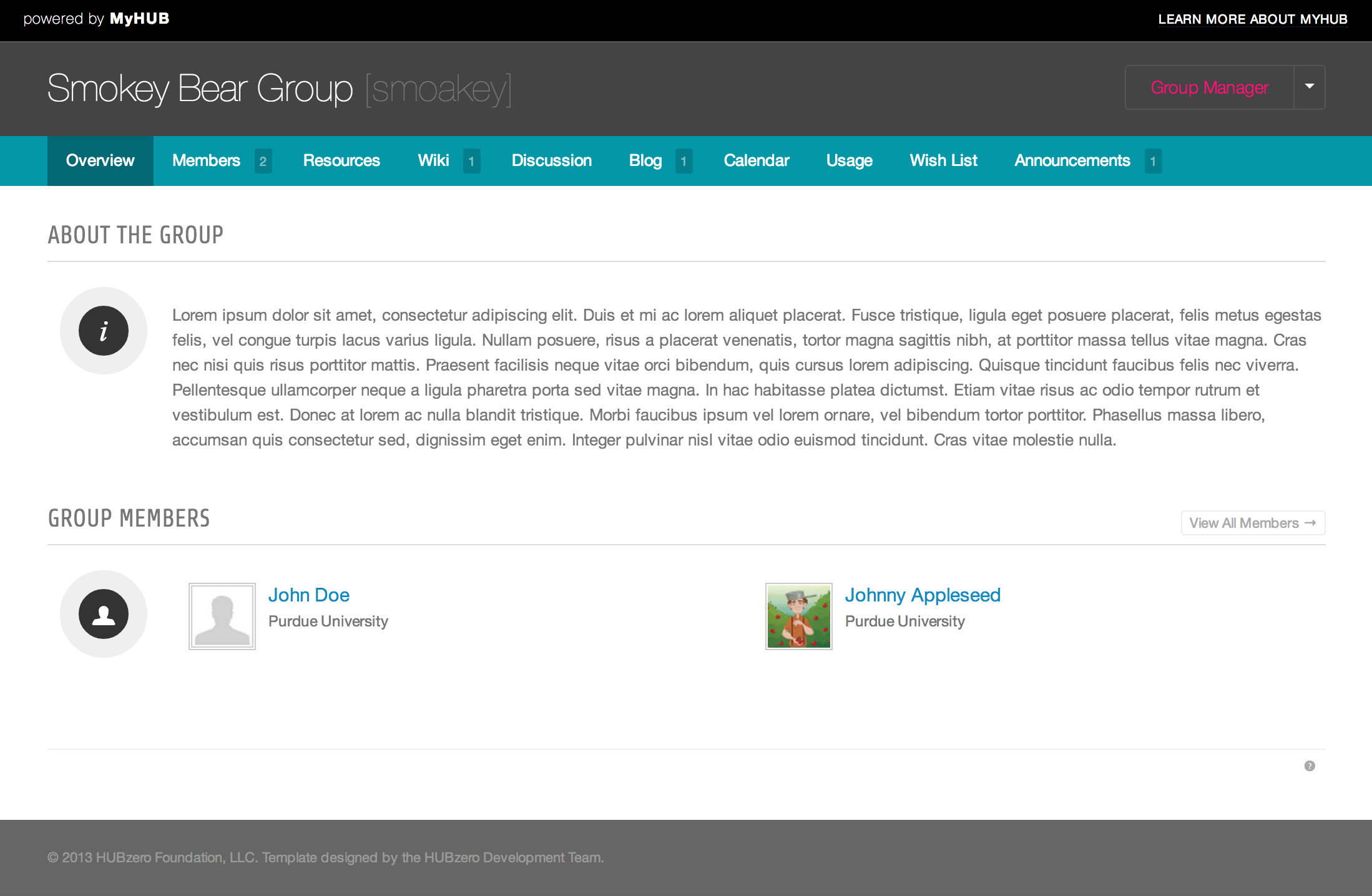
Note
That screenshot shows a custom template built on a hub, not the skeleton the hub gives you. The skeleton is unstyled by comparison.
Error template
The skeleton also ships template/error.php and assets/css/error.css.
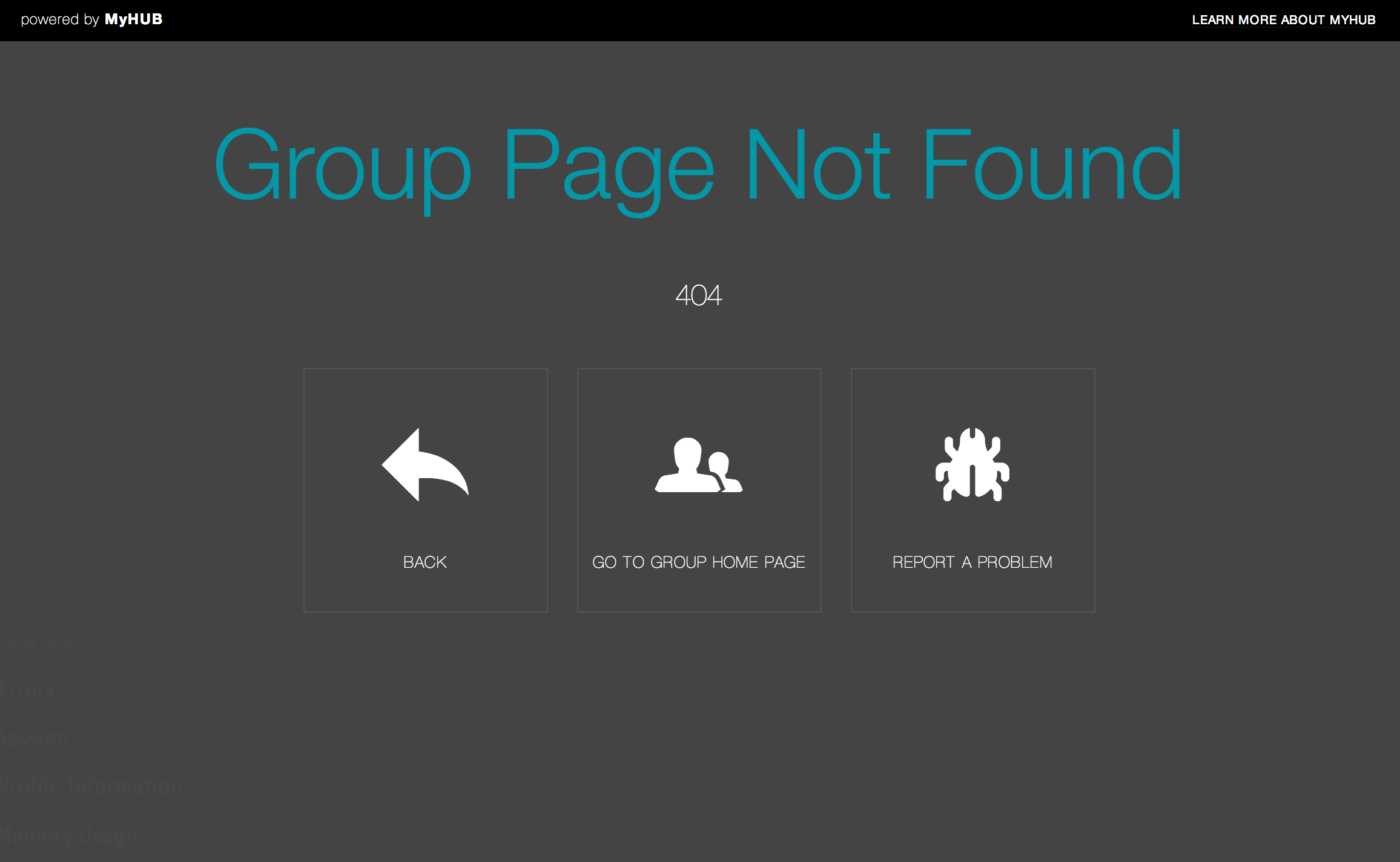
Warning
This does not work in 2.4. View::attachCustomErrorHandler()
in
core/components/com_groups/helpers/view.php
still checks that the group has an error.php, but the
set_exception_handler() call below the check is commented out. A super
group gets the site's error pages, so the screenshot above shows a page the
software no longer produces. The file is still copied into every new group
directory.
File layout
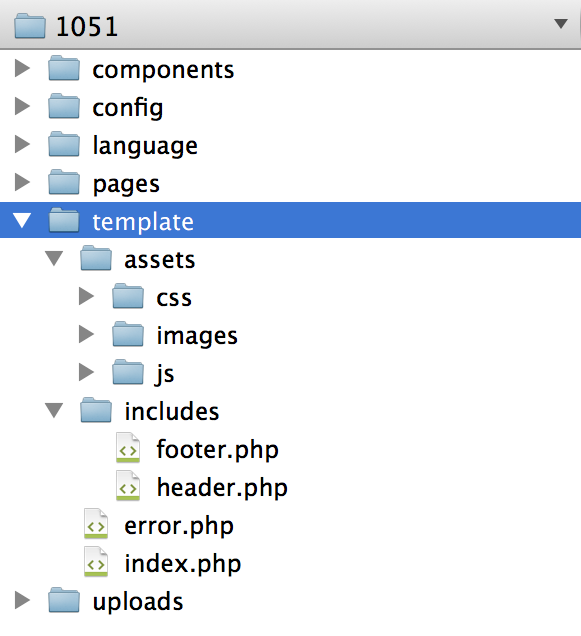
Note
That picture predates the macros/ and migrations/
directories, which the skeleton now creates as well. See
the section overview for the current
layout.
Rewritten and checked against 2.4-main @ 91d03d0a23 on 2026-09-10.